

Step 1 — Create a 1Password service account
Champ authenticates to 1Password with a service account token, not your personal login.- Follow 1Password’s Create a service account guide.
- Grant the service account read access to the vault(s) that hold the credentials your profiles will use. A service account can only see vaults you explicitly share with it.
- Copy the token (it starts with
ops_) when 1Password shows it. The token is displayed once — store it somewhere safe before leaving the page.
Scope the service account to only the vaults Champ needs. You can revoke or rotate the token anytime from the 1Password
developer console, which immediately cuts off access.
Step 2 — Connect it in Champ
- Navigate to Integrations in the sidebar.
- Under Credential Vaults, find the 1Password card and click Connect.
- Paste your service account token (
ops_…) into the dialog and click Connect.
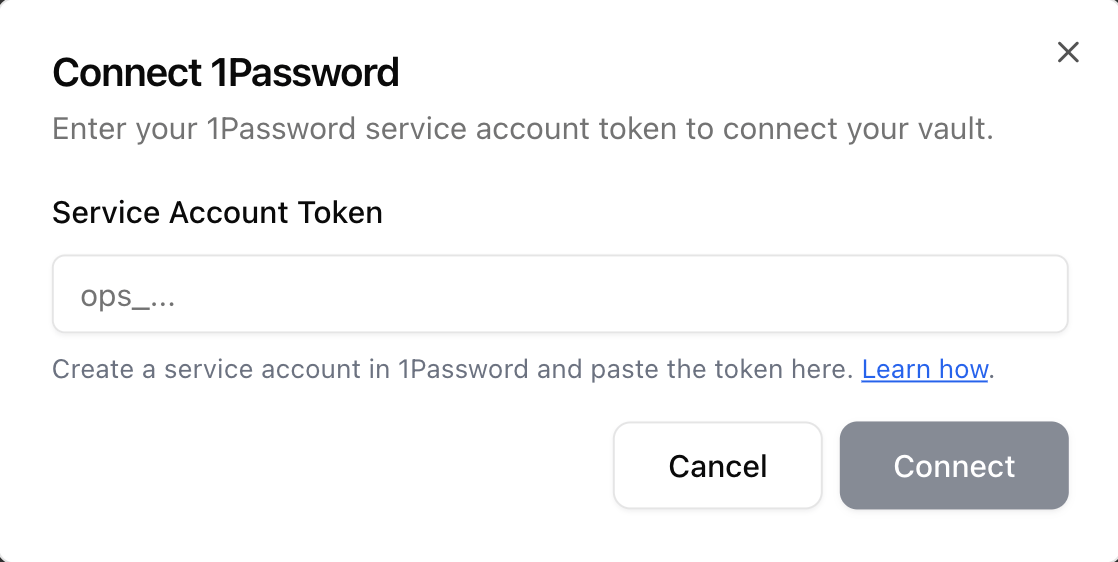
The Connect 1Password dialog. Paste your ops_… service account token and click Connect.
Step 3 — Use it on a browser profile
With 1Password connected, the Managed Authentication section of any browser profile lets you source credentials from your vault instead of typing them:- Open Integrate → Browser Profiles and add or edit a profile.
- Turn on Managed Authentication and choose 1Password.
- Pick the vault and item. Champ reads the username and password at login.
- If the item carries a TOTP field, you can select 1Password under Two-factor authentication to clear authenticator-based 2FA automatically.