

Create a REST API connection
- Navigate to Integrations in the sidebar.
- Under Tool Integrations, find the REST API card and click Connect.
- Fill in the fields below and click Create.
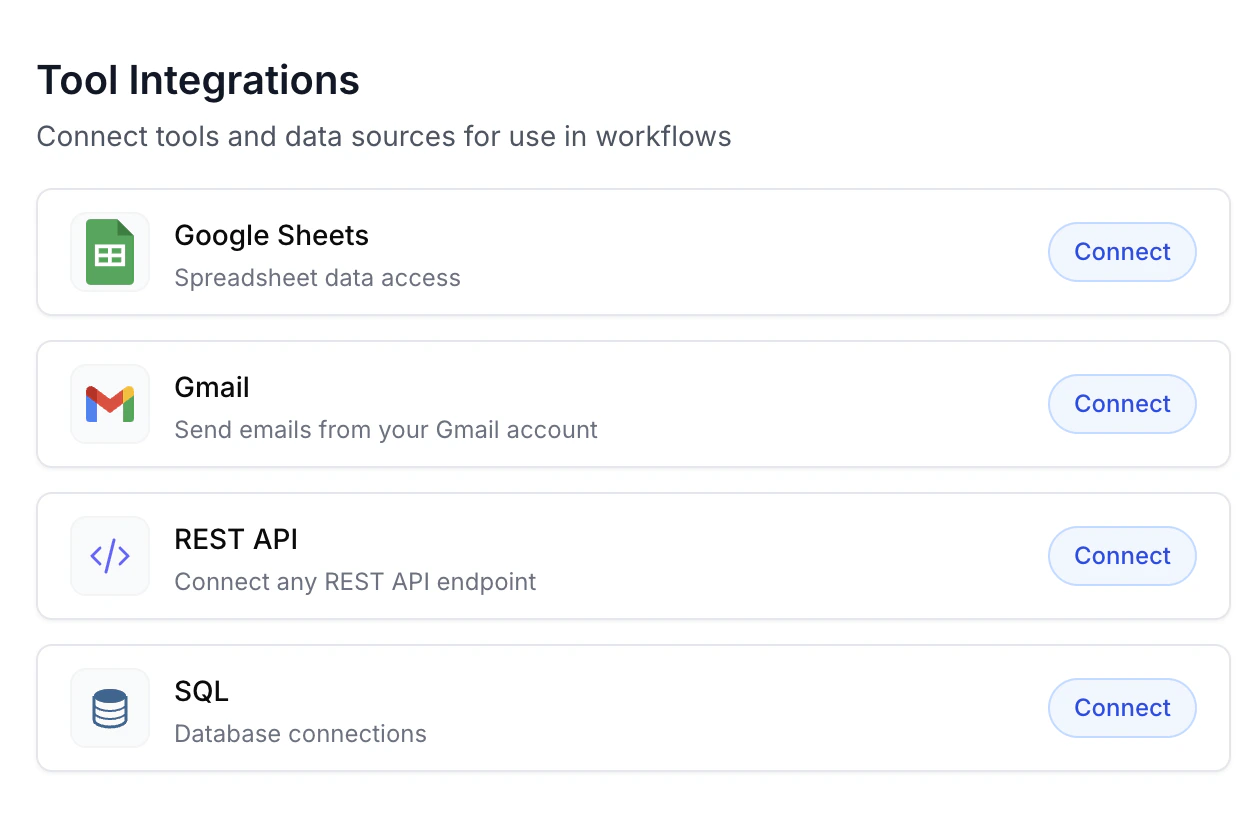
The Tool Integrations list. Click Connect on the REST API card to open the modal.
Fields
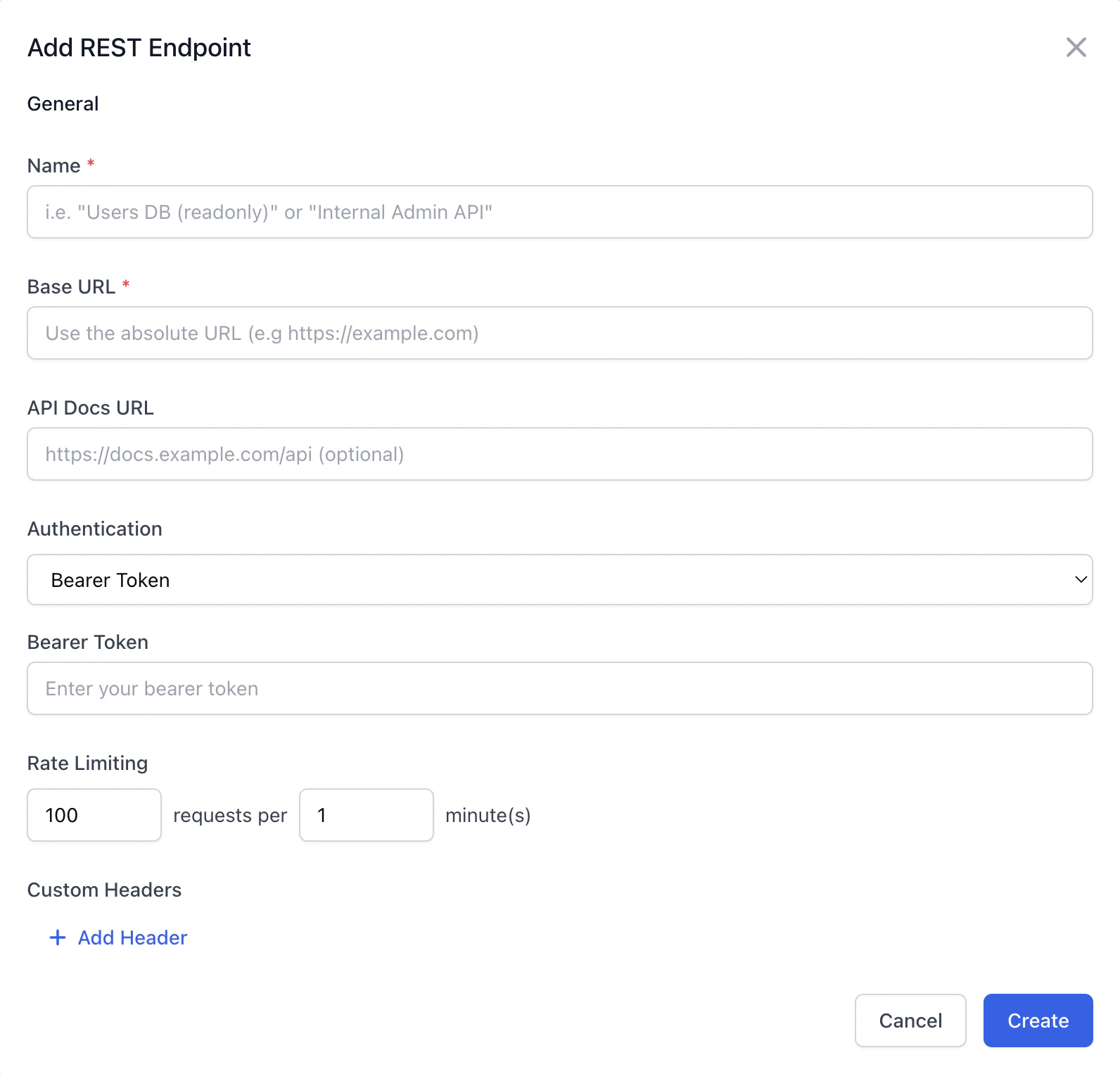
The Add REST Endpoint modal with Bearer Token authentication selected.
string
required
A human-readable label for the connection (e.g. “Acme CRM”). Shown in the tools list when building workflows.
string
required
The root URL for the API (e.g.
https://api.acme.com/v1). REST queries built against this connection will append their path to this base.string
Optional link to the provider’s API documentation. Surfaced in the UI when you’re building queries against this connection.
enum
required
How Champ should authenticate each request. See authentication types below.
object
Optional key/value pairs sent on every request (e.g.
X-API-Version: 2024-01). Click + Add Header to add a row.object
Optional safeguard to cap outbound traffic. Entered inline as N requests per M minute(s) (default
100 / 1). Champ will queue or error additional requests once the limit is hit.Authentication types
Credentials are encrypted at rest. Only the tenant that created the connection can read them.
Use the connection in a workflow
After saving, the connection is available for building REST queries:- On the Integrations page, open New REST Query.
- Select your connection under Connection.
- Define the path, HTTP method, parameters, and response shape.
- The query is now available as a tool in any workflow agent node’s tool list — the agent will call it when its instructions require the data.
Editing and removing
- Click any connection in the Tool Integrations table to edit its fields. Changes apply to the next request; in-flight queries use the previous values.
- Deleting a connection breaks any REST queries built against it. Remove the queries first, or they’ll fail at runtime.