> ## Documentation Index
> Fetch the complete documentation index at: https://docs.champ.ai/llms.txt
> Use this file to discover all available pages before exploring further.
# Champ email address
> A per-profile email address — sign up for accounts with it, receive verification emails, and clear email 2FA
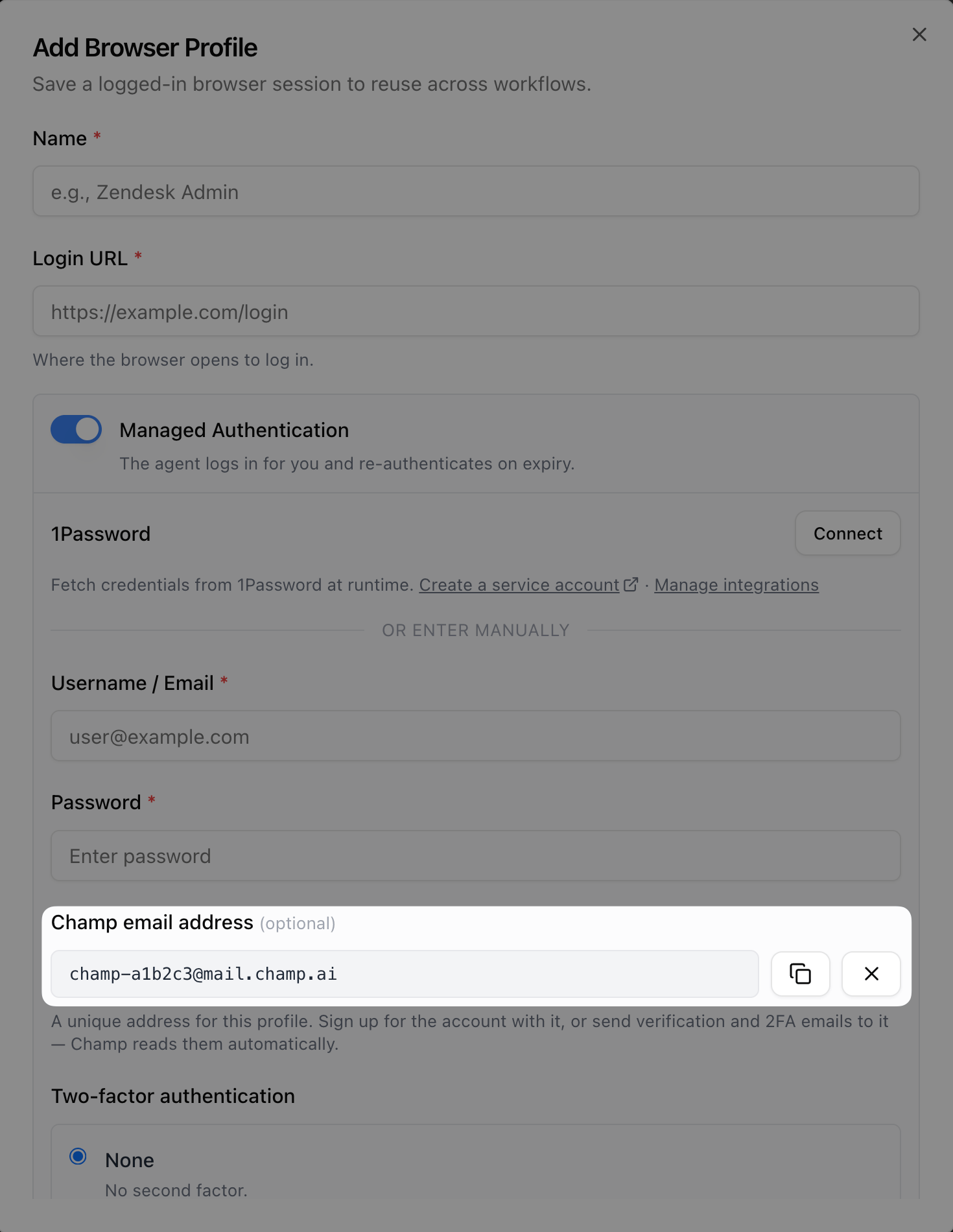
Every [managed profile](/browser-profiles/managed-profiles) can have its own **Champ email address**:
```
your-tenant-a1b2c3@mail.champ.ai
```
It works like a regular email address for the account the profile logs into. Emails sent to it show up on the
profile's **Email delivery** panel, and during logins Champ reads 2FA codes from it automatically.
## Generate the address
Open your profile under **Integrate → Browser Profiles** and click **Generate address** under **Champ email address**.
Selecting **Email** under Two-factor authentication also generates one automatically.
 ## What to use it for
* **Sign up with it** — when creating a fresh account for Champ to use, use the Champ address as the account's email.
Verification emails and 2FA codes land in Champ directly — nothing to forward or register. Works whether or not the
site uses 2FA.
* **Receive 2FA codes** — if the site emails one-time codes, get them to the Champ address and select **Email** under
Two-factor authentication. See [Email 2FA](/browser-profiles/email-2fa).
* **Receive account email** — password resets, magic links, and confirmations sent to the address are visible on the
profile page.
## Delivery history
The profile page shows an **Email delivery** panel listing each email's sender, subject, and whether a one-time code
was detected — never the email contents. Use it to confirm emails are actually arriving when a login or sign-up fails.
## What to use it for
* **Sign up with it** — when creating a fresh account for Champ to use, use the Champ address as the account's email.
Verification emails and 2FA codes land in Champ directly — nothing to forward or register. Works whether or not the
site uses 2FA.
* **Receive 2FA codes** — if the site emails one-time codes, get them to the Champ address and select **Email** under
Two-factor authentication. See [Email 2FA](/browser-profiles/email-2fa).
* **Receive account email** — password resets, magic links, and confirmations sent to the address are visible on the
profile page.
## Delivery history
The profile page shows an **Email delivery** panel listing each email's sender, subject, and whether a one-time code
was detected — never the email contents. Use it to confirm emails are actually arriving when a login or sign-up fails.